
Journey To ChinaLast updated
What TenPayGo is and who it suits
TenPayGo is Tencent's payment app for overseas visitors to China. It is particularly useful for a first short trip when you have yet to register for WeChat or Alipay and mainly need QR payments. Register with an email address, link an eligible international credit card, then scan a merchant's code or show your payment code for the cashier to scan. Its payment capabilities are powered by Weixin Pay, and the official website says no Chinese phone number or WeChat account is needed.
If your immediate priority is paying in restaurants, convenience stores and shops, follow this guide to install TenPayGo, register and link your card. Make a small purchase after arrival to check that it works. Visitors who already have a supported Apple Pay card or overseas e-wallet can also use the corresponding payment options offered in the app.
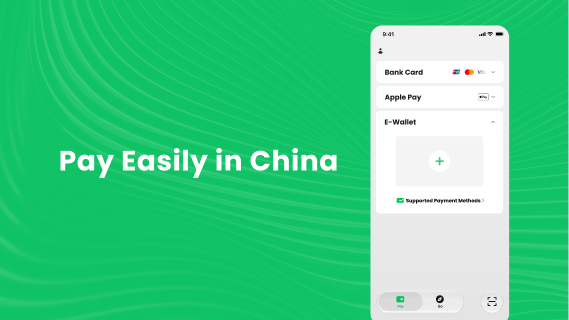
Source: Tencent's TenPayGo listing on Google Play. This example shows payment-method entrances; the layout may vary with the installed version.
For more travel services, set up WeChat or Alipay first
If your itinerary also involves metro journeys, high-speed train tickets, ride-hailing or attraction reservations, we recommend installing and registering for WeChat or Alipay first, then linking an eligible international credit card there. Both apps cover more travel services through their own entrances and Mini Programs. Follow the separate activation steps for each transport service or Mini Program.
- Our WeChat guide starts with overseas-number registration and card linking, then covers Weixin Pay, contacting hotels and drivers, and Mini Programs for rides and attraction reservations.
- Our Alipay guide covers registration, card linking, merchant payments, city bus and metro codes, railway booking and ride services.
If you already pay successfully with WeChat or Alipay, continue using your existing account. TenPayGo is most useful for visitors without either account who want to sort out QR payments for a short stay. Its menu and conversation translation tools are available to explore as needed.
Step 1: install from an official source
Download before departure so there is time to resolve store-region or device-compatibility issues. Access to Google Play in China can also depend on your connection.
| Device or installation method | Official source | What to check |
|---|---|---|
| iPhone | TenPayGo on the Apple App Store | App ID: 6778755338. Developer: Tencent Technology (Shenzhen) Company Limited. At the time of checking, the listing requires iOS 15.0 or later. |
| Android with Google Play | TenPayGo on Google Play | Package: com.tencent.wxpai. Developer: Tencent Technology (Shenzhen) Company Ltd. |
| Android without Google Play | TenPayGo's website | Use the Download Android APK / APK entrance on the official mobile website. The current file is served from Tencent's wx.gtimg.com domain. Avoid third-party mirrors. |
Install on iPhone
- Open the official App Store link above or search the store for TenPayGo.
- Check the app name and developer, tap Get and follow the installation prompts.
- Open the app. At the time of checking, the App Store lists English as its interface language; this guide uses the relevant English labels.
Install on Android
- If Google Play is available, install from the official listing.
- Otherwise, open TenPayGo's website in your phone browser and find Download Android APK. Depending on the device and browser, a download button may first open a panel offering APK and Google Play.
- Open the downloaded package and follow Android's prompts. If required, temporarily allow the current browser to install this file, then turn that permission off after installation. Setting names vary by device.
- Open the app and use the same official source for future updates.
If the store reports an unsupported region or device, check the account region and operating-system requirements. Avoid borrowing someone else's store account to install a payment app. You can also set up Alipay or WeChat Pay while resolving installation issues.
Step 2: register with your own email address
TenPayGo's software agreement requires an email address belonging to you, with one account per email address. Use an inbox you can access during the trip and after returning home for authentication and transaction enquiries.
- Open TenPayGo and enter the registration or login screen.
- Enter your usual email address and request verification as prompted.
- Check your inbox for the verification code or instructions, then return to the app to complete authentication.
- Read and accept the relevant agreements and finish the account setup requested by the current version.
- Check that the payment screen shows entrances such as Bank Card, then continue with payment activation.
After email registration, activate payments using the on-screen instructions. The payment agreement says activation may require information such as your real name and card details, with checks by the relevant institutions. Submit accurate personal information if the app requests additional identity details.
Your card issuer may require SMS verification. A data-only travel eSIM provides internet access; if the bank sends a code to your home number, keep that number able to receive messages.
Step 3: link an international credit card
Check the card's eligibility
Use a card in your own name issued by a bank outside mainland China. The official website currently shows UnionPay, Visa, Mastercard, American Express, JCB, Diners Club and Discover. Whether a particular credit or debit card can be linked still depends on the card, issuer, account status and current app support.
A UnionPay card must also meet the requirement to be issued outside mainland China. Before linking, check the bank app's settings for international online transactions and make sure you can complete the issuer's authentication.
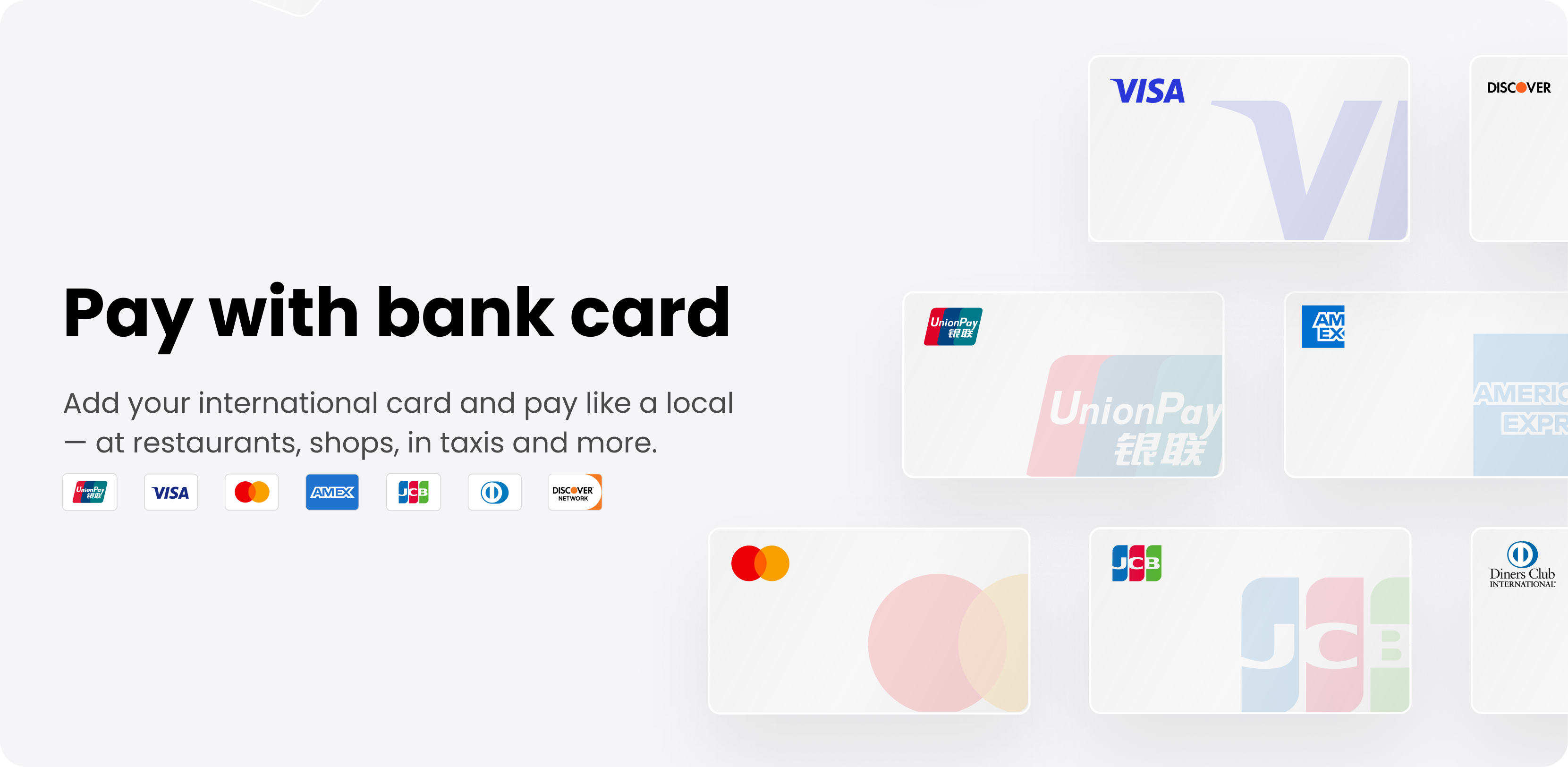
Source: the Pay with bank card illustration on TenPayGo's website. These are the displayed card networks; individual cards require app and issuer approval.
Link the card
- Open Bank Card on the payment screen and enter the card-adding flow.
- Enter the card number, expiry date and CVV/security code, along with any cardholder or other details requested. The agreement explicitly lists collection of the number, expiry date and CVV.
- Verify your email again if prompted. Payment activation may also ask you to verify the email linked when opening the card; follow the prompts for account-login and issuer checks separately.
- Complete the issuer's authentication, which may use its bank app, an SMS code or a 3-D Secure page. The method varies by card.
- Set the TenPayGo payment password and complete any required identity checks as prompted.
- Return to the payment screen and check the card status. After arriving in China, make a small purchase at a supporting merchant and check the app result, bank record and merchant receipt.
We have not found a complete public set of official screenshots for every card-entry screen. Use this sequence as a guide while following the current fields and labels; button wording, field order and password length may vary. Keep card numbers, security codes, verification codes and payment codes private.
Step 4: pay a merchant
Option A: scan the merchant's collection code
- Open the scanner in TenPayGo. The official example places it at the lower right of the payment screen; its position may change.
- Allow camera access when prompted and scan the merchant's Weixin Pay collection code.
- Check the merchant name. If you need to enter the amount, confirm the renminbi total with the cashier first.
- Choose an available payment method and check the amount, service fee and any other payment information.
- Complete the app's and issuer's authentication requirements.
- Wait for a successful result and ask the cashier to confirm receipt before leaving.
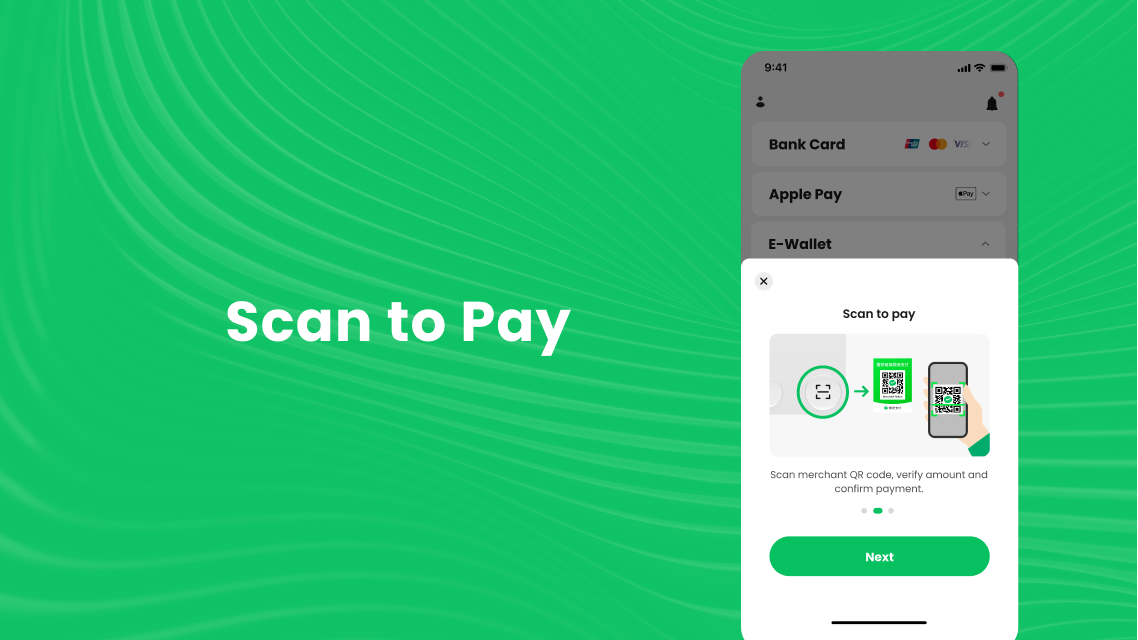
Source: Tencent's official Google Play screenshot. Scan the merchant's collection code; the QR codes pictured are examples.
Option B: let the cashier scan your payment code
- Open the payment-code entrance, described as Show payment code / Pay code in the official instructions.
- Check the selected payment method, then show the dynamic barcode or QR code to the cashier.
- Let the cashier scan it and confirm payment on your phone as prompted.
- Check the payment result and confirm that checkout is complete.
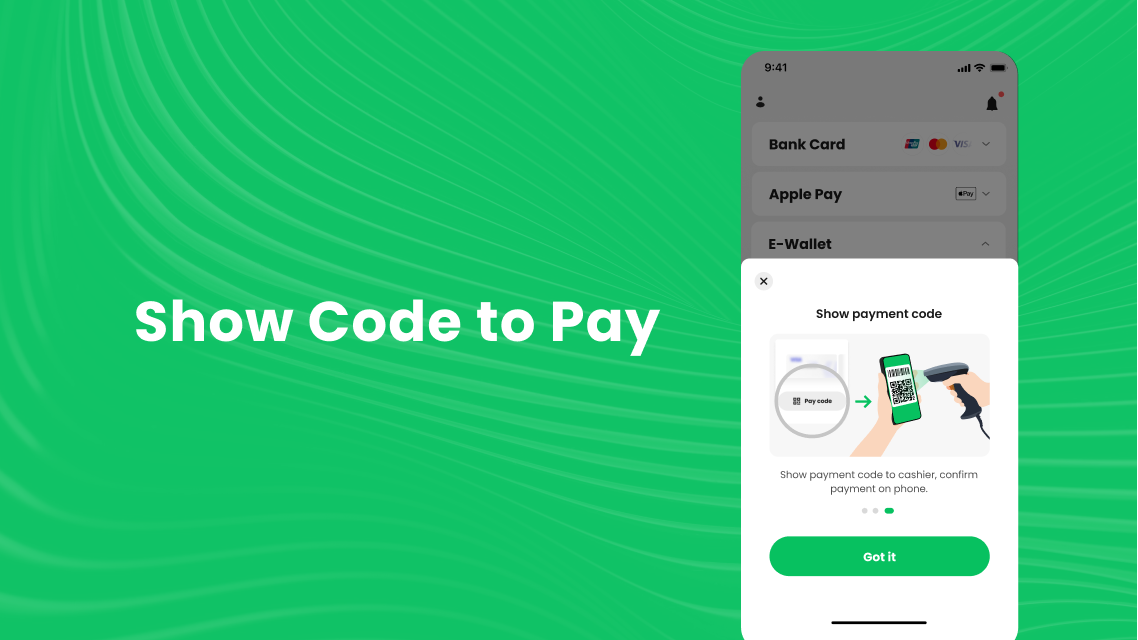
Source: Tencent's official Google Play screenshot. Show the code only when paying and keep screenshots of payment codes private.
Choose the right code in restaurants and transport settings
Even at a Weixin Pay merchant, a particular transaction may fail because of the merchant's collection setup, your card or account checks. TenPayGo's payment service covers eligible merchant purchases and excludes personal transfers, receiving money and red packets. Check the supported collection method when someone presents a personal code.
A restaurant's table code may open an ordering Mini Program. Follow its app marks to open the menu with WeChat, Alipay or Meituan. To settle with TenPayGo, ask staff whether they can provide a supported merchant payment method separately.
Metro gates require a travel credential supported by the local operator. Keep shop payment codes for checkout and check any transport service separately inside the app.
Apple Pay on iPhone and overseas e-wallets
If Apple Pay is already configured, TenPayGo's website confirms an Apple Pay option that avoids manually re-entering card details in TenPayGo. Use it in a payment flow that offers the option, check the card and amount, then authorise through the system prompts. Eligible cards and payment scenarios depend on the current page.
Start by scanning a merchant code or opening a supported payment flow in TenPayGo, then follow the page to authorise with Apple Pay.
Visitors who already use a supported overseas e-wallet can open E-Wallet to view the available options. Follow the linking prompts; during payment, TenPayGo directs you to the relevant wallet app for authorisation. Check that wallet's fees, debit information and verification requests too. You can follow the credit-card instructions here using your existing card without opening an unfamiliar wallet.
Fees, exchange rates, limits and refunds
Check the fee and limit before paying
TenPayGo's payment agreement specifies that linked-card service fees follow the prompts, notices and announcements provided during use. We have not found an official fixed fee table applicable to every account. Use TenPayGo's own payment information when checking charges rather than applying WeChat Pay or Alipay's thresholds, rates or promotions.
Before authorising, read the amount and service fee for the transaction. An overseas wallet may have its own charges. The card's final billing currency and conversion result follow the issuer's statement, and the issuer may add an international transaction fee.
Limits also follow your account and transaction pages. They can depend on verification, the scenario, risk controls and issuer rules. For larger hotel, shopping or medical payments, agree the payment method with the merchant beforehand and prepare an alternative.
Find transactions and request refunds
Use the app's transaction-record entrance to check payment status, time and amount, comparing them with bank or wallet records when needed. Contact the merchant or booking platform first for a return or accommodation cancellation; TenPayGo supplies the payment service.
After a successful merchant refund, the funds may return directly to the original card or overseas wallet. The payment agreement also says any user handling fee charged for that transaction will be refunded. Ask the issuer or wallet provider about separately charged bank fees, exchange-rate differences and the actual arrival time.
Troubleshooting
Verification email does not arrive
Check the address spelling, spam folder and mail-filter rules, and confirm that the inbox is accessible during your trip. Wait for the time shown on the page before retrying. Contact official support if the problem continues; use the current app instructions when choosing an email provider.
Card linking or payment is declined
Check the number, expiry date, security code and requested details, then look in the bank app for an authentication request or decline notice. Confirm that the card belongs to you, was issued outside mainland China and permits the transaction. Contact the issuer for a bank decline or TenPayGo support for app or account issues. Switch payment methods if checkout is time-sensitive.
The app shows failure but the bank reports a debit
Check TenPayGo's transaction record and ask the merchant to check receipt. Bank notifications and app results can appear at different times; avoid repeated payment attempts while the status is unclear. Keep the time, amount, merchant and transaction number for an enquiry through official support.
A service is missing or an old screenshot looks different
Update the app and check the screenshot's date and device. TenPayGo's store history describes interface and service changes. The pictures here are official product examples; we have not tested transactions with a real account. Follow the current interface for the relevant entrance.
Contact official support
TenPayGo's website lists:
- Email:
tenpaygo_support@tencent.com - Telephone:
+86 571 95017; the payment agreement also lists95017and online customer service - Website support hours: Monday–Sunday, 09:00–21:30 China time, UTC+8
Explain whether the problem concerns registration, card linking, payment or a refund. Have the transaction number and an error screenshot with sensitive details concealed ready. Recheck contact information on the website or in the app before sending an enquiry.
Questions before departure
Do I need a WeChat account or Chinese phone number?
The website says neither is needed, and the software agreement requires registration with your own email. Payment activation and issuer checks may request additional details or a code sent to your home number.
Can I use it without linking a credit card?
The website also offers Apple Pay and supported overseas e-wallets. Availability depends on the device, account and current payment flow.
Are UnionPay cards supported?
The website shows UnionPay, but the international-card service requires a card issued outside mainland China. The specific card must pass linking and payment checks.
Can I transfer money, receive red packets or top up a balance?
The current payment agreement excludes opening or topping up a payment account, transfers, receiving transfers and red packets. Its main use is merchant purchases.
Can it pay every WeChat QR code?
Choose a supported merchant collection method. Merchant purchase codes, personal codes, ordering Mini Program codes and transport codes serve different purposes, and transactions also depend on merchant and issuer rules.
Do I need it if Alipay or WeChat Pay already works?
Continue with your existing app if it handles payments successfully. Both apps cover more travel services for visitors who also need metro journeys, railway booking, ride-hailing or Mini Programs. Follow our WeChat guide and Alipay guide for setup.
Before you leave
- Install the official app, complete email login and keep the inbox accessible during the trip.
- Check that your card or wallet is activated and that you retain the issuer's authentication method.
- Find the scanner and payment-code entrances; make a small purchase after arrival.
- Prepare another working payment method and a little renminbi cash.
- Save official support details and keep the account and original payment method available while refunds are pending.
For trips to Shenzhen, Shanghai or Beijing, prepare payments alongside the destination's transport advice. Check transport activation, attraction reservations and hotel orders individually.
Official information
- TenPayGo website: payment methods, the official Android download, supporting tools and customer service.
- TenPayGo on the Apple App Store: developer, iPhone compatibility, language and update history.
- TenPayGo on Google Play: official Android package, update notes and the operating illustrations used here.
- TenPayGo Payment User Service Agreement: card eligibility, activation, scope, limits, fees and refund rules.
- TenPayGo Software License and Service Agreement: email registration and software use.
Information checked on 1 October 2026. App screens, cards, wallets, fees and transport services may change. Follow the current official pages when activating or paying.